To import a list of contacts, click  on the tool bar. See screenshot below (Import outlined in red):

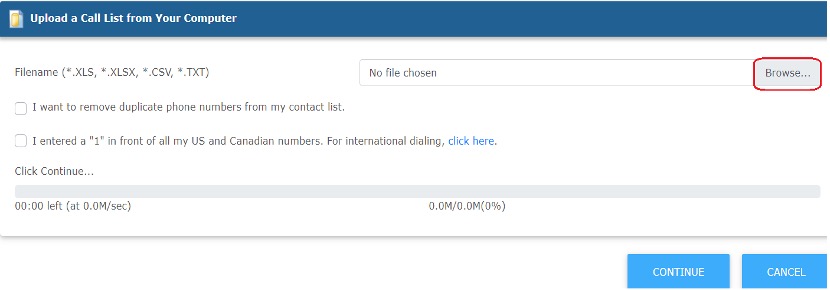
From there it will have you browse your computer for the file. See screenshot below (Browse outlined in red):
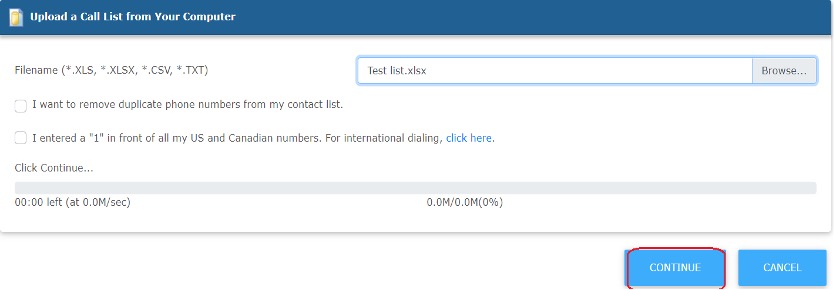
After you locate and select the contact list, you can click CONTINUE to upload the list. See screenshot below.
NOTE: When importing contacts, if your column headers mimic the headers in the reminder interface, the data will be inserted in the appropriate field. See help section on “Properties” to add/delete columns.