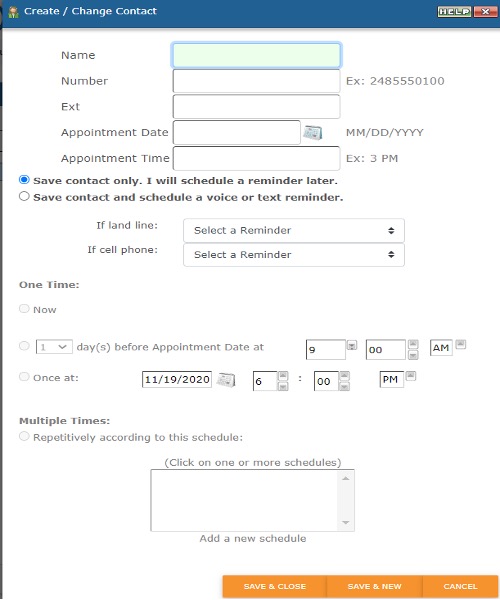
To add contacts manually, click  on the tool bar. From there it will have you enter the contact information. If you already have a voice or text reminder set up, you can also schedule from here as well. Please see screenshot below (Add outlined in red):

After you enter the information, if you only need to add one contact, you can click on SAVE & CLOSE. If you need to add multiple contacts, click on SAVE & NEW. See screenshot example below: