Playing Sound Files
Plays a sound file from your campaign through your computer speakers with the default media played used by your browser.
To play a sound file, follow these steps:
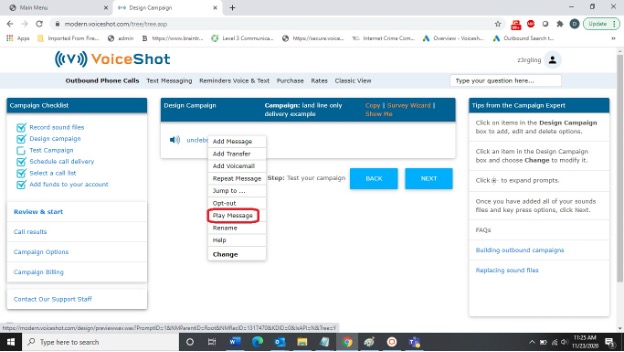
Click DESIGN CAMPAIGN from the Campaign Checklist.
Click an existing message.
Click PLAY.
Replacing Sound Files in Your Campaign
Click on the sound file that you want to replace from DESIGN CAMPAIGN from the Campaign Checklist.
Select CHANGE.
Select the new sound file and click SAVE.