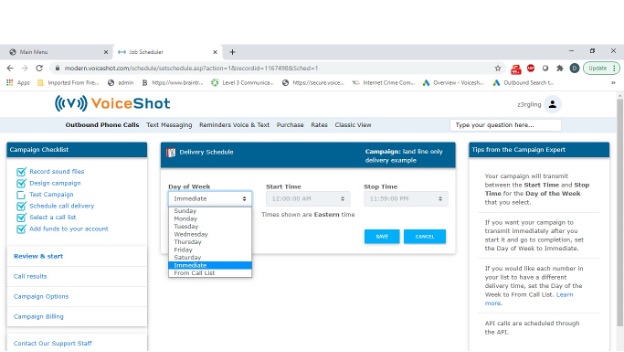
An outbound campaign is delivered according to a schedule that you set. Campaigns can be scheduled up to one week in advance. When you schedule a campaign, you set the day of the week and time you want it to start and the time you want it to stop. You can schedule multiple start and stop times on the same or different days.
If you want your campaign to start sending immediately, set the start time to any time before the current time, the stop time to an appropriate time after the current time, and the day of the week to the current day.
To add a new schedule, follow these steps:
Click SCHEDULE CALL DELIVERY from the Campaign Checklist.
Click ADD to add a new start and stop time.
Select the DAY OF WEEK, START TIME and STOP TIME and click SAVE.