Add Funds to Your Account
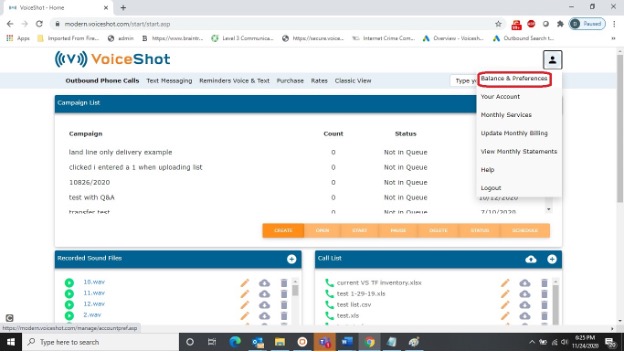
Outbound campaigns are billed on prepaid basis. Before you start your campaign, you are required to have funds in your account equal to or greater than the total number of phone numbers in your call list times minimum cost per call. To view the balance in your account, click on the blue person symbol in the top right corner of the dashboard, and choose balance and preferences.
If your campaign runs out of funds while there are still calls to send, it will be paused and an email sent to the email address in your account.
To add funds to your account, follow these steps:
Click the ADD FUNDS TO YOUR ACCOUNT on the Campaign Checklist.
Click on the Purchase tab in the blue menu bar, select the OUTBOUND CAMPAIGN option, then follow the prompts.
View Your Prepaid Balance
Click on the  symbol next to your username in the top right corner of the dashboard and choose BALANCE & PREFERENCES in the drop down menu.