Microsoft Excel is an easy to use and familiar program you can use to create or modify call lists.
To create a call list in MS Excel, follow these steps:
Open MS Excel.
Enter the phone numbers in a column and name the column "Number". Your list should look similar to:
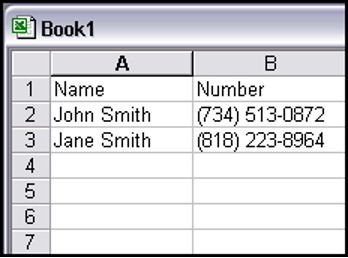
In the example above, the "Name" field is optional. You can include other optional fields as well such as "Address" etc. These fields will appear when you download call statistics from your campaign and are useful for organizing your call results.
The "Number" column is the ONLY column required by VoiceShot. It must be named "Number", contain the area code and number and not start with a "1". The numbers can contain "(", "-", "." and other formatting characters, but these are not required.
Save your call list by clicking FILE, → SAVE.
Name your call list and click SAVE.