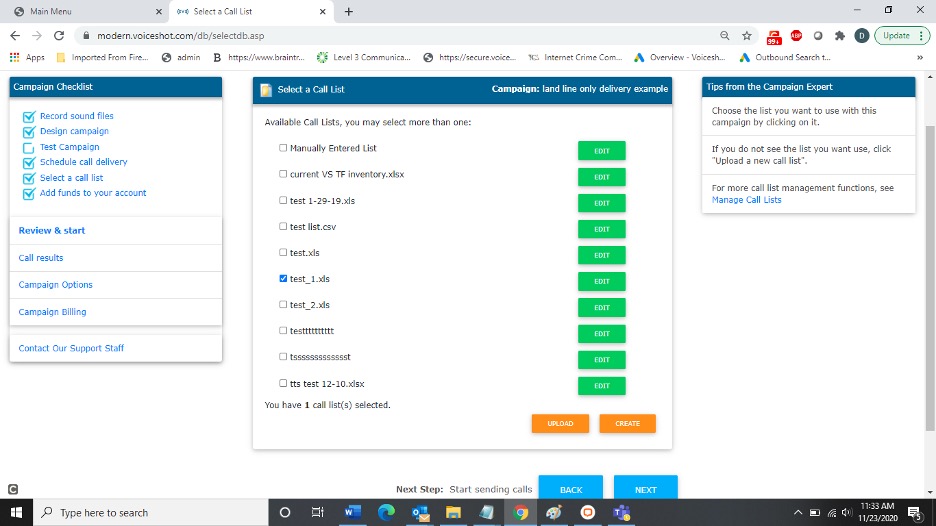
Choose the call list to use with your campaign.
The Manually Entered Call List option is designed for small amounts of phone numbers you want to quickly enter and send to.
To select a call list, follow these steps:
Click SELECT A CALL LIST from the Campaign Checklist.
Click the name of the call list you want to use.
Click ADD to upload a new call list from your computer.
Click EDIT to change the name of a selected call list. For the Manually Entered Call List, EDIT allows you to add and remove numbers.
Click DELETE to delete a selected call list. The Manually Entered Call List cannot be deleted.