A message is a sound file that plays when an event that you select takes place. For example, a message can be played when a call recipient makes a selection from their telephone keypad or if they take no action at all.
To add a message, follow these steps:
1. Click DESIGN CAMPAIGN from the Campaign Checklist.
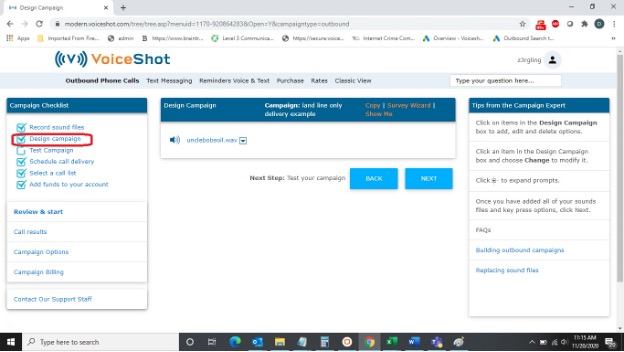
2. Click an existing message.
3. Click the ADD MESSAGE.
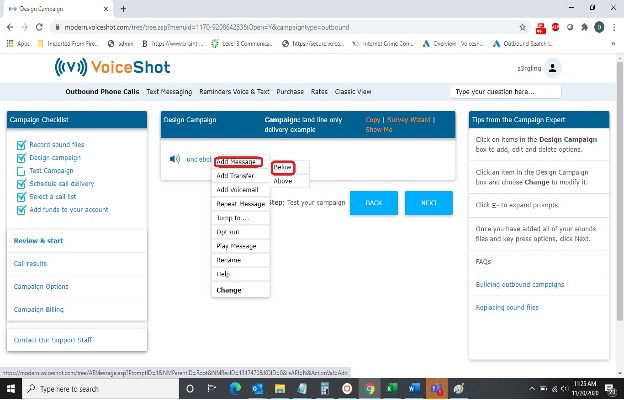
4. Select a key press under WHILE LISTENING TO.
5. Select a sound file, under PLAY SOUND FILE.
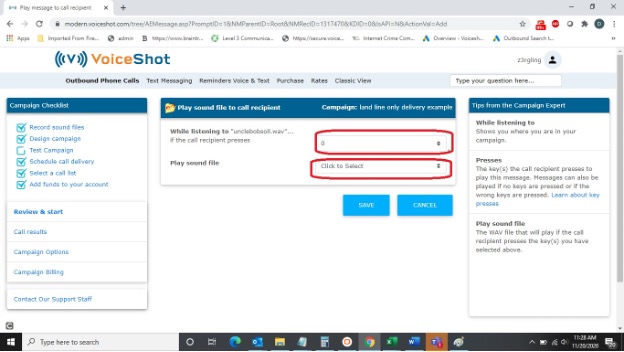
6. Click SAVE.