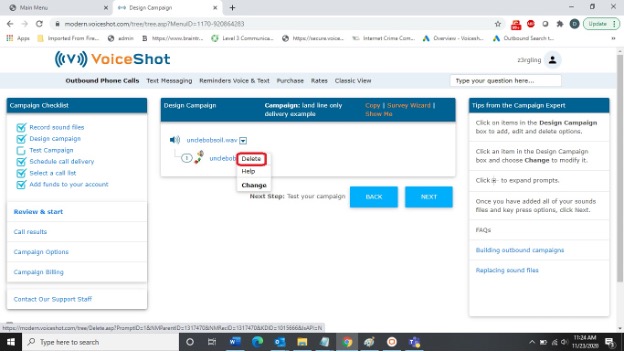
Deleting a campaign element removes it from your campaign design.
Deleting a message from your campaign removes the message from your campaign but does not remove the .wav file from your account. To remove the .wav file from your account, see "Manage Sound Files".
To delete a campaign element, follow these steps:
Click DESIGN CAMPAIGN from the Campaign Checklist.
Click a campaign element.
Click DELETE.