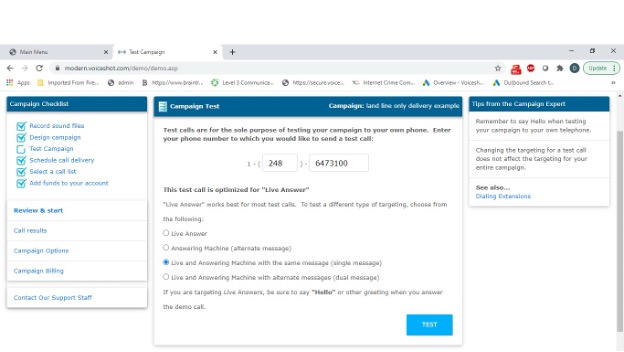
Before sending your outbound campaign to your call list, you can use the test campaign feature to test all aspects of the campaign by sending a test call to a number of your choice.
By default, your test call will target live answer so you can call your own phone, answer, say "Hello" and hear your campaign. However, sometimes it is useful to change the targeting for the test calls, for example if you want to let your answering machine answer the call. Changing the targeting for a test call does not affect the targeting setting for the entire campaign.
To test your campaign, follow these steps:
Click TEST CAMPAIGN from the Campaign Checklist.
Enter the PHONE NUMBER to send the test call to.
Select the OPTIMIZATION for the test call.
If the test is to a live answer, make sure to say "Hello."