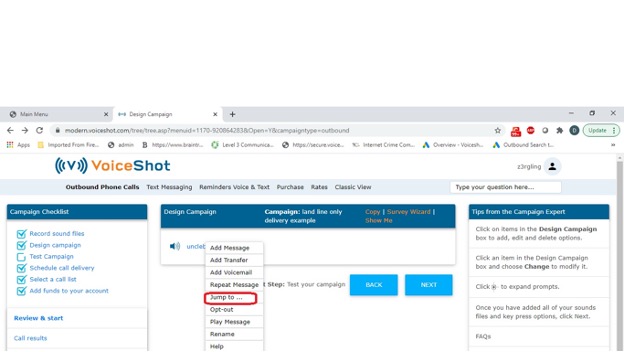
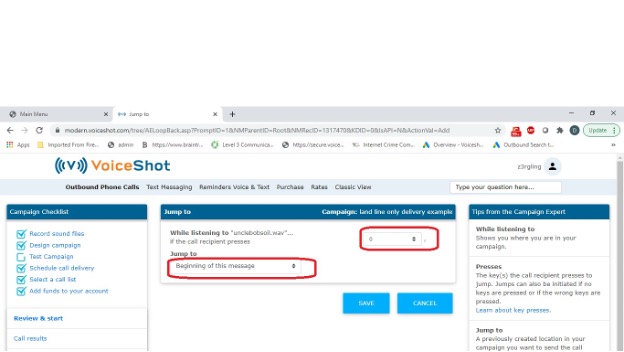
JUMP TO sends a call recipient to a different part of your campaign. A jump can take place when a call recipient makes a selection from their telephone keypad or if they take no action at all. For example, JUMP TO can be used to replay a message to a call recipient.
Jumping to a message is different than adding a new message. Adding a message creates a new direction for the call to take. Jumping to a message takes a call recipient to a point in your campaign that you have already created.
To add JUMP TO, follow these steps:
- Click DESIGN CAMPAIGN from the Campaign Checklist.
-
Click an existing message.
-
Click the JUMP TO.
-
Select a key press under WHILE LISTENING TO.
-
Select an existing message, under JUMP TO.
-
Click SAVE.